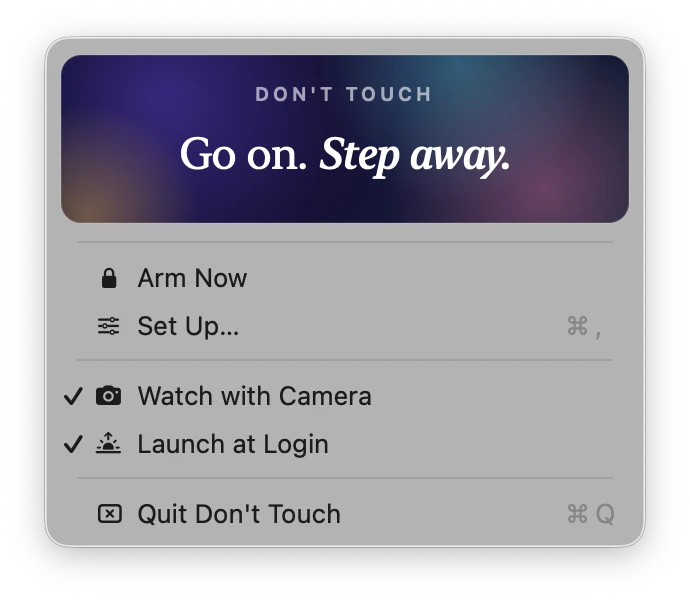
Don't Touch · for Mac · armed

Go on.
Touch it.

Click anywhere. This is what my laptop does when a stranger does that.

↓ the story

Coffee goes in.
Coffee wants out.

I work from cafés a lot. And every single time nature calls I face the same dumb choice.

Option one: pack the laptop, the charger, the headphones, lose the perfect table by the window, and queue for the bathroom with a bag on my shoulder like I'm leaving the country.

Option two: leave everything on the table and do the fastest, most anxious bathroom trip of my life, picturing my unsaved tabs walking out the door under someone's arm.

I wanted a third option: a laptop that takes care of itself for four minutes.

So I built Don't Touch. You click Away, the screen becomes a calm screensaver, and you go.

If anyone touches it, moves it, closes the lid or pulls the charger, the laptop loses its mind. Red screen. Siren. Full volume — even if they try to turn it down. And a voice with opinions: “Why you push me?” “This is MY spot.” “Somebody call the barista!” It keeps going until you come back and type your PIN.

It is not a lock. It's something much better in a café full of people: a very embarrassing thing to be holding.

Calm until it isn't.

Three moments. No account, no setup, no cloud — it never leaves your Mac.

Pick a PIN, click Away

You get five seconds to take your hands off. The screen fades into a slowly drifting aurora that looks like a screensaver. Menu bar, Dock and cursor disappear.

Someone gets curious

The laptop goes red, the siren starts, the volume is forced to 100 %, and every three seconds it says something new. It stays like that until it hears the PIN.

You come back

Just type your four digits — no field, no Enter. Everything fades away and you're back in the app you were using, volume restored, like nothing happened.

  • Any touch — keyboard, trackpad, mouse
  • Lid closed, opened or tilted
  • Charger unplugged
  • Being moved — the camera notices the whole picture shifting
  • Sleep — closing the lid on battery still wakes it up screaming
  • ⌘Q, ⌘-Tab, closing the window — blocked while armed
About the camera: it's optional, and it's built for cafés. It only reacts when the entire picture moves together — the way it does when the laptop itself is lifted or tilted. People walking behind you, someone sitting down at the next table, lights dimming: those only change part of the picture, and are ignored. Nothing is recorded or stored; the green light is on so everyone knows it's watching.

Things it says.

Each alarm draws a fresh line from the bag, shows it huge on the red screen and says it out loud. Hover over one. (Or add your own.)

What does it cost?

One coffee.

€4, once. Keep it forever, use it in every café you'll ever sit in. No subscription, no account, no “pro” tier. I just want it to pay for the coffee that made it necessary.

Buy Don't Touch for €4

For Mac, macOS 13 or newer. You get the app right after paying. Questions? Poke me — gently.